Gmail Connector: Constituent Email Tracking and Inbox Integration
Introduction
The Gmail Connector brings CharityEngine and Gmail together, allowing organizations to manage donor communications more efficiently. With the connector enabled, incoming and outgoing Gmail messages can be automatically associated with constituent records, providing staff with a centralized view of communication history.
In addition, users can access key constituent information directly from their Gmail inbox, reducing the need to switch between systems and helping teams maintain complete, accurate constituent engagement records. This feature improves collaboration, streamlines workflows, and ensures donor interactions are easily accessible across the organization.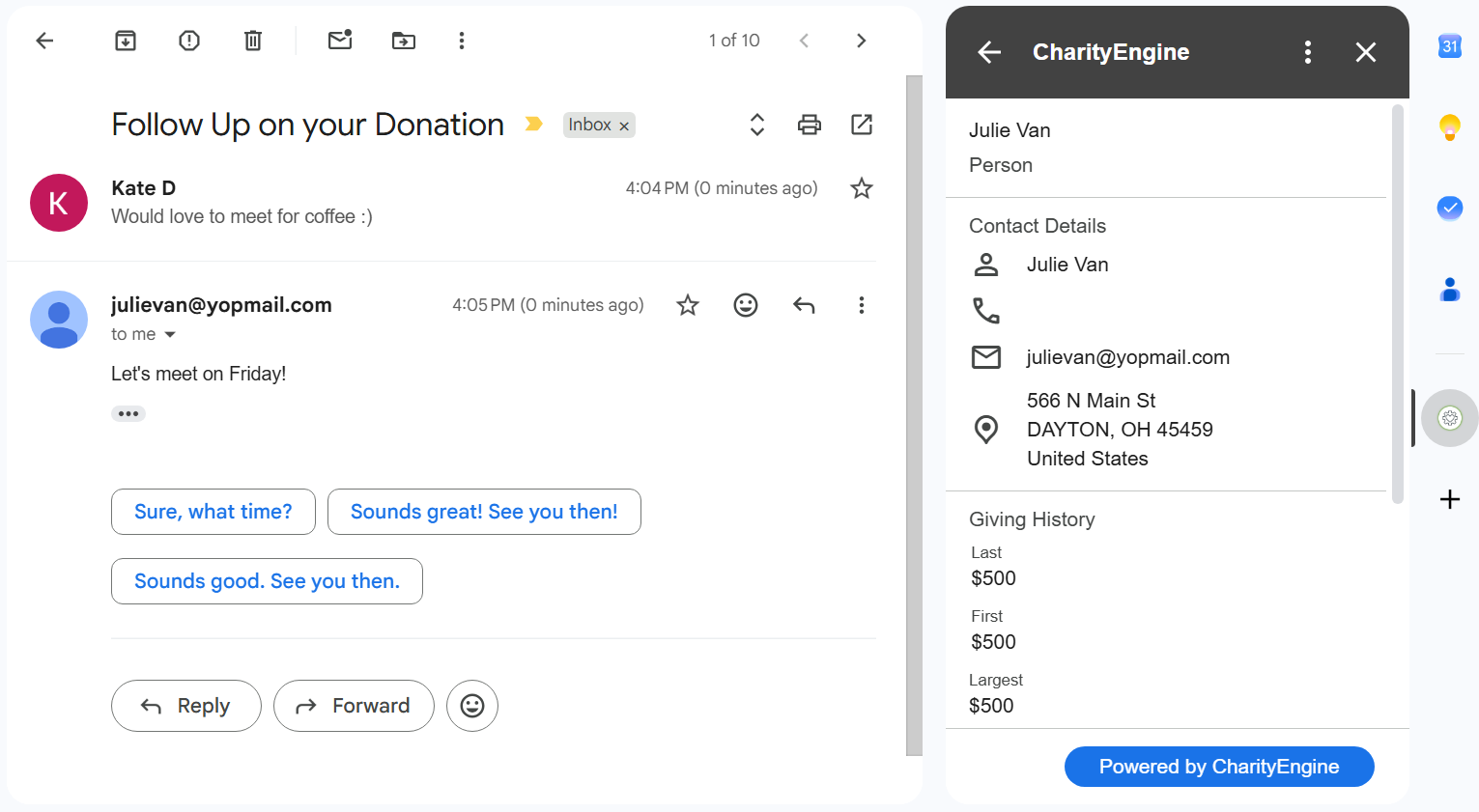
Table of Contents
-
Overview
-
Key Features
-
Prerequisites
-
Benefits of the Gmail Connector
-
How the Gmail Connector Works
-
Frequently Asked Questions
-
Additional Reading
Overview
The Gmail Connector integrates a user's Gmail account with CharityEngine, allowing email communications and constituent data to be viewed and managed from a single workflow.
The connector automatically tracks email activity and helps staff access constituent information without leaving Gmail, creating a more connected and efficient donor management experience.
Key Features
Automatic Email Tracking
Incoming and outgoing Gmail messages can be automatically recorded within constituent records, creating a complete communication history.
Constituent Insights in Gmail
Access key constituent information directly from Gmail while viewing or composing messages.
Centralized Communication History
Maintain a comprehensive record of donor interactions, ensuring communication details are available to all authorized team members.
Improved Staff Collaboration
By storing email interactions within constituent records, organizations can reduce information silos and provide greater visibility across fundraising, donor services, and development teams.
Reduced System Switching
Staff can work more efficiently by accessing CRM data and email communications from a unified workflow.
Prerequisites
Before using the Gmail Connector:
- Access to the Gmail Connector feature is required.
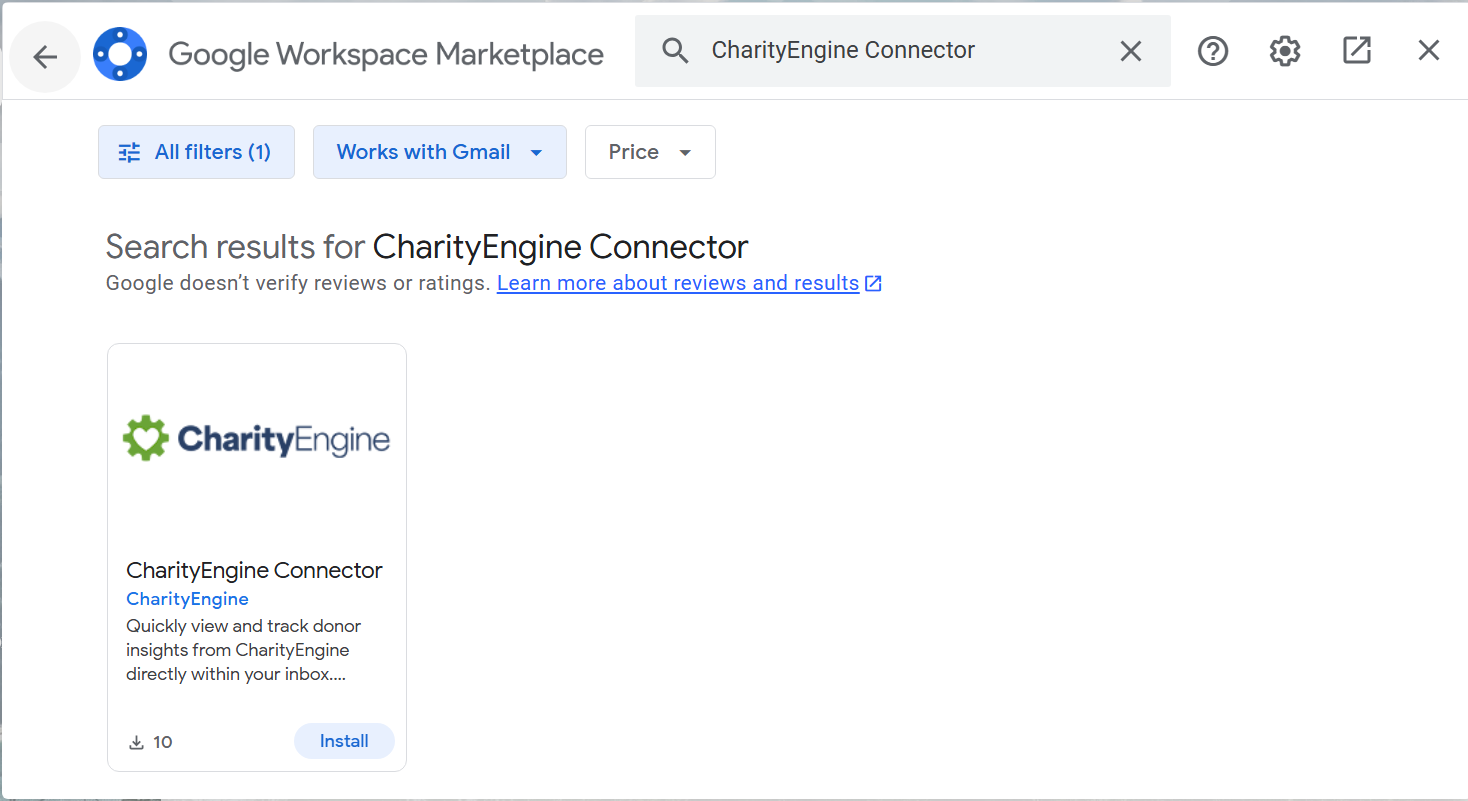
- Locate the Google Workspace Marketplace within Gmail.
- Search "CharityEngine Connector"
- Install the Connector
-
Users must have a valid Gmail account.
-
Appropriate CharityEngine permissions may be required to connect and view constituent information.
- Organizations should contact their Account Manager for information regarding feature availability and provisioning.
Benefits of the Gmail Connector
Organizations can leverage the Gmail Connector to:
-
Improve donor communication tracking.
-
Create a more complete constituent engagement history.
-
Reduce manual data entry.
-
Increase staff productivity.
-
Improve collaboration between teams.
-
Provide faster, more informed responses to donors and constituents.
How the Gmail Connector Works
Once configured:
-
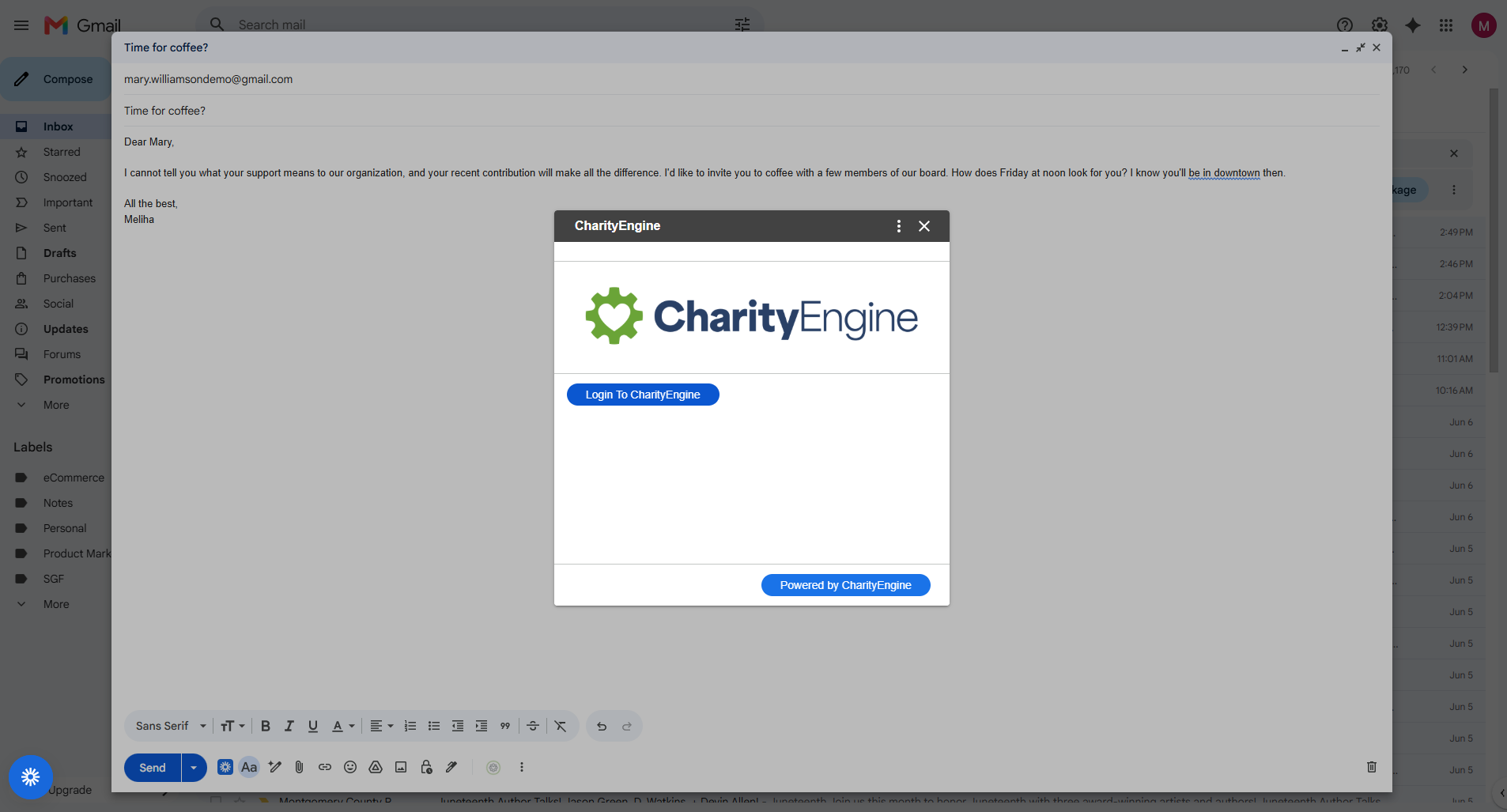
Users connect their Gmail account to CharityEngine.
-
Incoming and outgoing email activity is automatically associated with matching constituent records.
-
Staff can view communication history directly within constituent records.
-
Constituent information becomes accessible from Gmail, allowing users to reference donor details while managing email communications.
-
Communication records remain available for reporting, collaboration, and future engagement efforts.
Outcome
After implementing the Gmail Connector, organizations can manage constituent communications more efficiently by connecting Gmail and CharityEngine into a unified experience. Staff gain visibility into donor interactions, reduce administrative effort, and maintain more complete constituent records without leaving their inbox.
Frequently Asked Questions
Q. Are both incoming and outgoing emails tracked?
A. Yes. The connector can automatically associate both incoming and outgoing Gmail messages with constituent records.
Q. Can staff view constituent information from Gmail?
A. Yes. The connector provides access to key constituent information directly within the Gmail experience.
Q. Does the Gmail Connector eliminate the need to manually log emails?
A. The connector is designed to automate email tracking and reduce manual recordkeeping whenever possible.
Q. Who should use the Gmail Connector?
A. Fundraising, development, donor services, customer support, and constituent engagement teams can all benefit from centralized email tracking and constituent visibility.
