Online: How to Create a Solicitor Constituent Notes Form
Introduction:
The Solicitor Constituent Notes Form allows organizations to collect constituent notes from solicitors without requiring CRM login access. This functionality helps organizations centralize stewardship updates, meeting notes, donor interactions, and follow-up activity directly within the constituent record. Solicitors can securely submit notes through a web form while organizations maintain a complete engagement history inside CharityEngine.
Table of Contents
- Introduction
- Prerequisites
- Creating a Solicitor Constituent Notes Form
- Completing the Solicitor Notes Form
- Viewing Submitted Solicitor Notes
- Outcome
- FAQ & Further Reading
Prerequisites
No prerequisite required. The Solicitor Constituent Notes Form is available within CharityEngine.
Instruction: Creating a Solicitor Constituent Notes Form
Step 1: Navigate to the Online App > Web Forms > Search & Manage.
Step 2: Click Create New Record.
Step 3: From the form wizard, select Solicitor Notes Form.
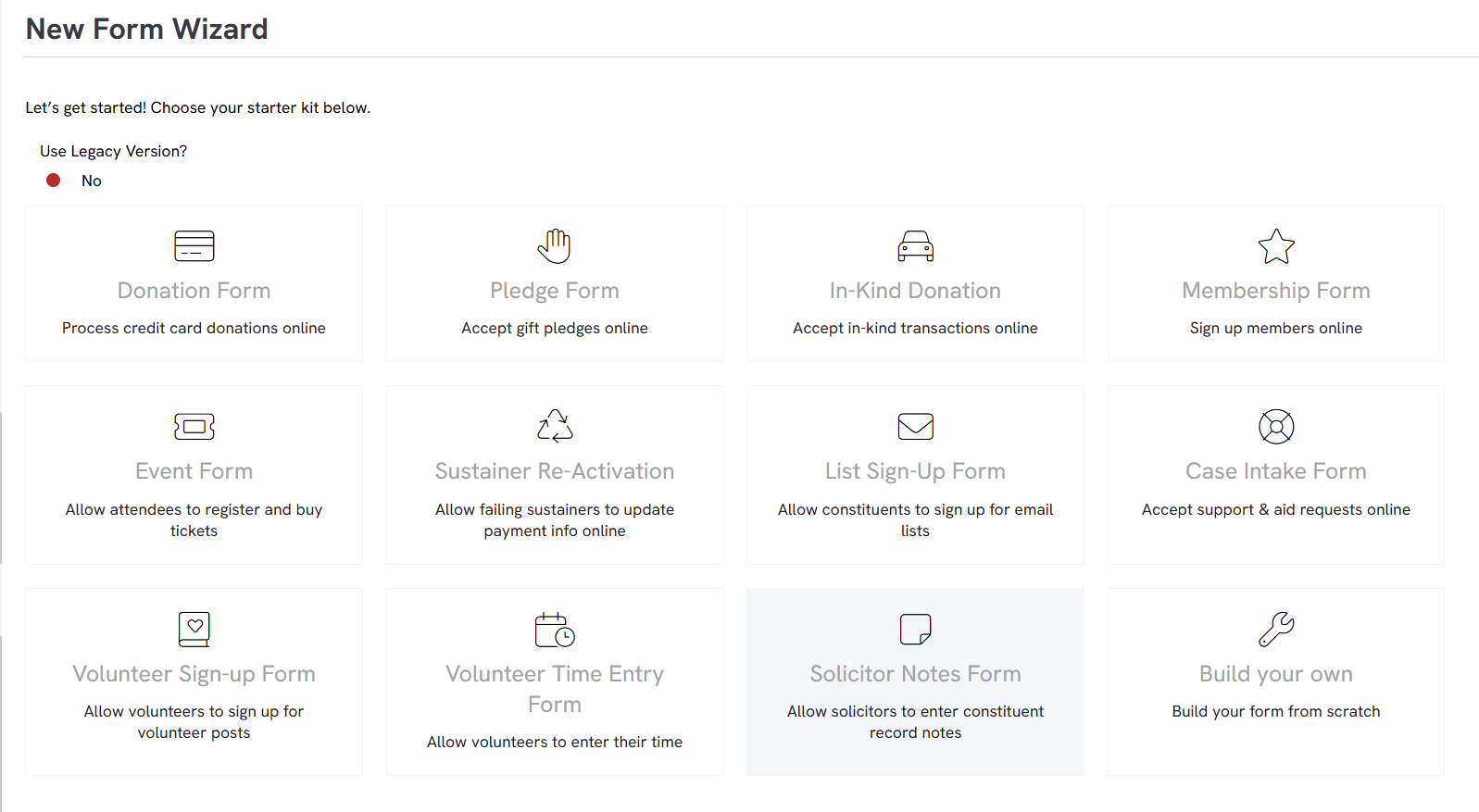
Step 4: Select the solicitor associated with the form.
Step 5: Optionally configure a username and password for secure solicitor access.
Step 6: Save the form configuration.
Step 7: Click the generated form link to preview and access the live solicitor notes form.
Instruction: Completing the Solicitor Notes Form
Step 1: Open the solicitor notes form using the generated form URL.
Step 2: Enter the constituent’s:
- First Name
- Last Name
- Email Address
Step 3: Optionally select the setting to opt the constituent into email communications.
Step 4: Enter the solicitor notes within the notes field.
Step 5: Click Save to submit the note.
Step 6: Confirm the “Note Saved” confirmation message appears successfully.
Instruction: Viewing Submitted Solicitor Notes
Viewing Form Transactions
Step 1: Navigate to the Online App > Web Forms > Search & Manage.
Step 2: Locate the Solicitor Notes Form on the listing screen.
Step 3: Click the Ellipsis next to the form.
Step 4: Select Transactions to view submitted form activity and solicitor note submissions.
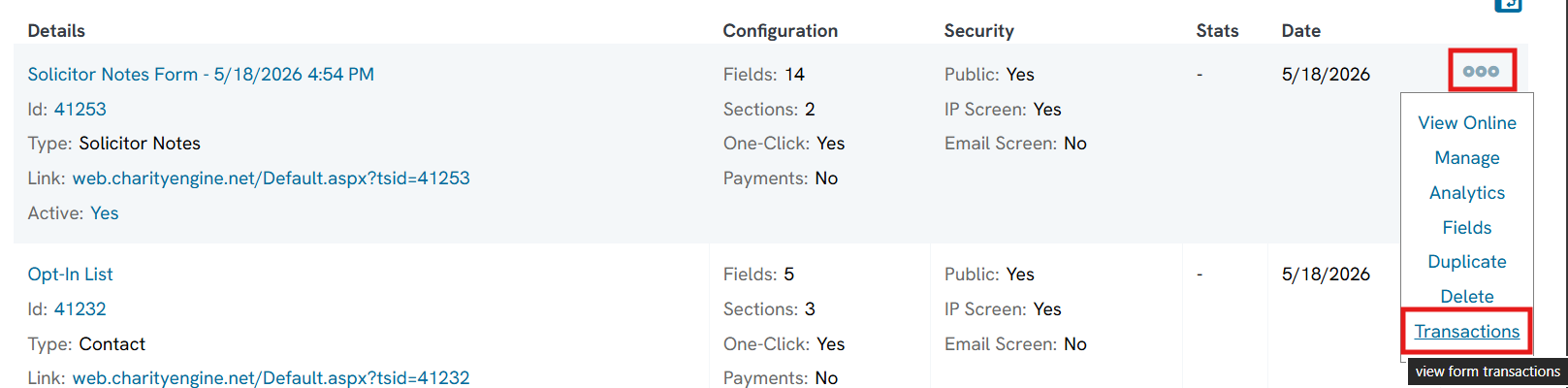
Viewing Notes on the Constituent Record
Step 1: Navigate to the People App > Organizations & People > Contacts.
Step 2: Search for and open the constituent contact record.
Step 3: Navigate to the Notes tab within the contact record details.
Step 4: Review submitted solicitor notes, including the originating form submission and related transaction details.
Outcome
Once configured, organizations can distribute Solicitor Constituent Notes Forms to solicitors for streamlined note collection outside of the CRM. Submitted notes are automatically associated with the constituent record, improving stewardship tracking, donor relationship management, and engagement history visibility across the organization.
FAQ & Further Reading
Q. Do solicitors need CharityEngine login access to submit notes?
A. No. Solicitors can submit notes through the form without logging into the CRM.
Q. What information can be collected through the form?
A. The form can collect constituent first name, last name, email address, email communication preferences, and solicitor notes.
Q. Where can submitted notes be viewed?
A. Submitted notes can be viewed:
- Within the form transaction history
- On the constituent contact record under the Notes tab
Q. Can organizations secure access to the form?
A. Yes. Organizations may optionally configure a username and password for solicitor access.
Q. Are solicitor note submissions tracked as transactions?
A. Yes. Submitted notes can be reviewed from the form’s Transactions listing screen.
