Introduction
Users can download a monthly Merchant Processing Statement directly within CharityEngine. The statement allows users to compare total charges against the net amount received, review any fees that were subtracted, and see daily batch settlement details along with a breakdown by payment method (credit card or ACH). This gives users an additional way to reconcile revenue and answer common questions such as "What fees were charged?" and "Where can I see my fees?"Table of Contents
What Is Included in the Merchant Processing Statement?
Each monthly statement is organized into the following sections:
1. Processor Identification: Identifies the card processor and ACH processor associated with the statement.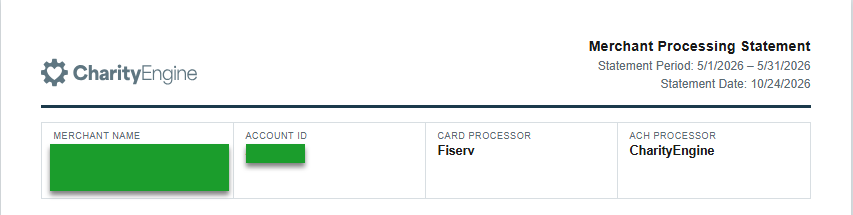
2. Period Summary: A summary of activity for the statement month, including total charges, fees, and the net amount.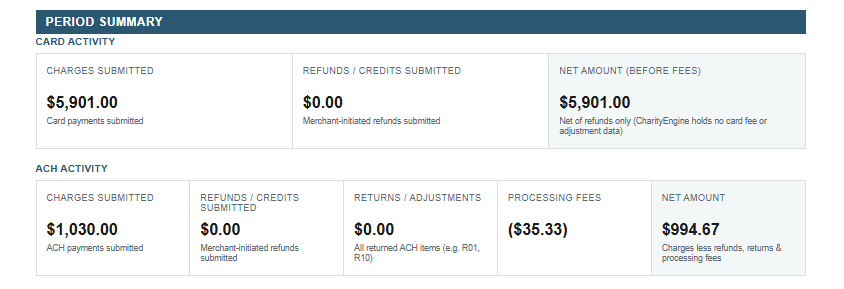
3. Daily Summary of Charges & Fees: A day-by-day breakdown of charges and the fees subtracted from them.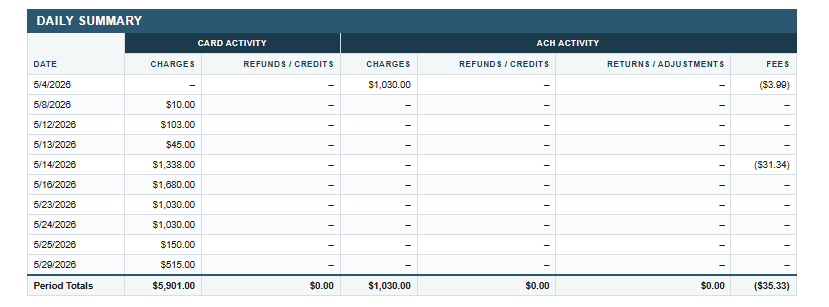
4. Payment Method Breakdown: Activity broken down by payment method, such as credit card or ACH.
5. Daily Batch Settlement Details: A breakdown of each daily batch that was settled during the month.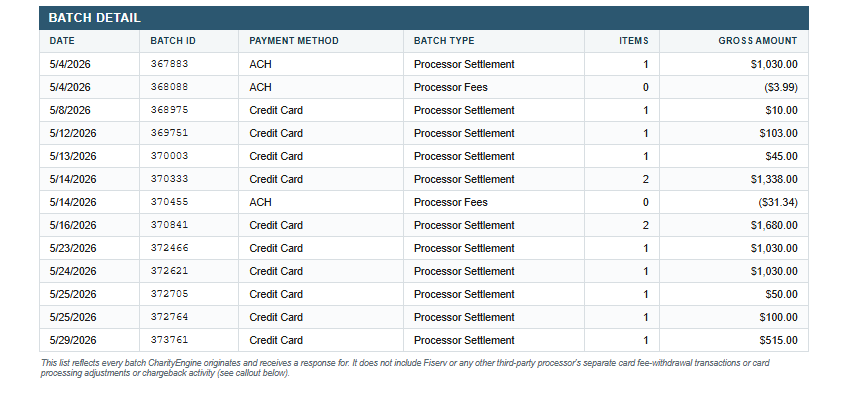
Instructions - Download the Merchant Processing Statement
Step 1: From the left navigation menu, navigate to Accounting > Reconciliation > Monthly Statements.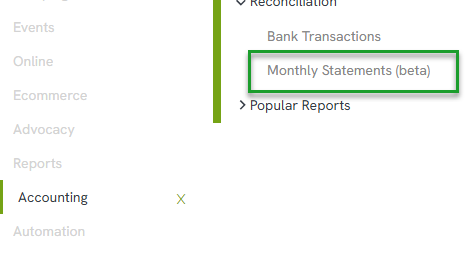
Step 2: Clicking Monthly Statements opens the Statements screen. Select the Year of the statement(s) needed.
Step 3: Select the Payment Gateway. This selection is only needed if the organization uses more than one payment gateway.
Step 4: Click Quick Search. All available monthly statements for the selected year will display in order.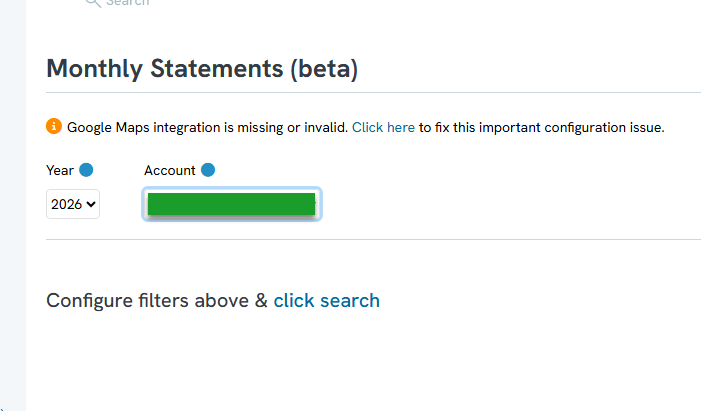
Step 5: Hover over the ellipses (...) next to the month needed and select Download to download the statement.
Note: If the organization processes payments through more than one payment gateway, repeat these steps for each gateway to review all monthly activity.
FAQs & Additional Reading
Q. Where can users see the processing fees that were charged?
A. Fees are shown in the Merchant Processing Statement in both the Period Summary and the Daily Summary of Charges & Fees sections. Comparing total charges to the net amount shows exactly what was subtracted.
Q. Can users review statements for a previous year?
A. Yes. On the Statements screen, select the desired Year and click Quick Search to view that year's monthly statements.
Q. Does the statement separate credit card and ACH activity?
A. Yes. The Payment Method Breakdown section separates activity by payment method, and the statement identifies both the card processor and the ACH processor.
