Introduction
Users can delete activities from a contact record two ways: individually, or in bulk using multi-select. This guide covers both methods, along with how to handle the notes tied to those activities.Table of Contents
Instruction - Delete Activities
Step 1: Navigate to Contacts > Activities.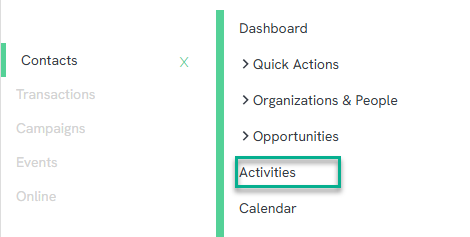
Step 2: Use the quick filters along the top of the screen – such as Activity Type, Activity Status, or a preset date range – to narrow down to the activities to delete. For additional filtering options, click the funnel icon to open the Advanced Filter.
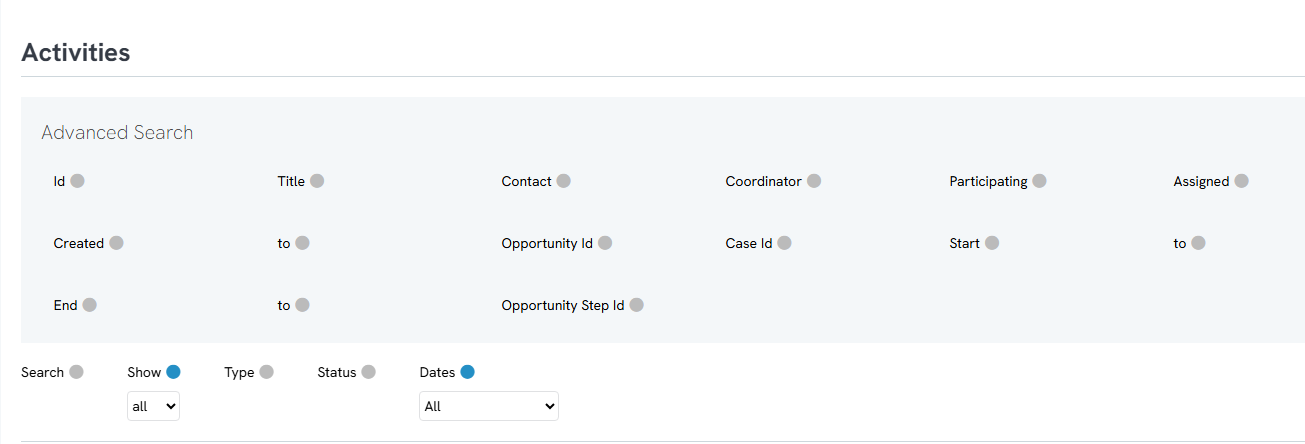
Step 3: Click Search to bring the desired activities up on screen.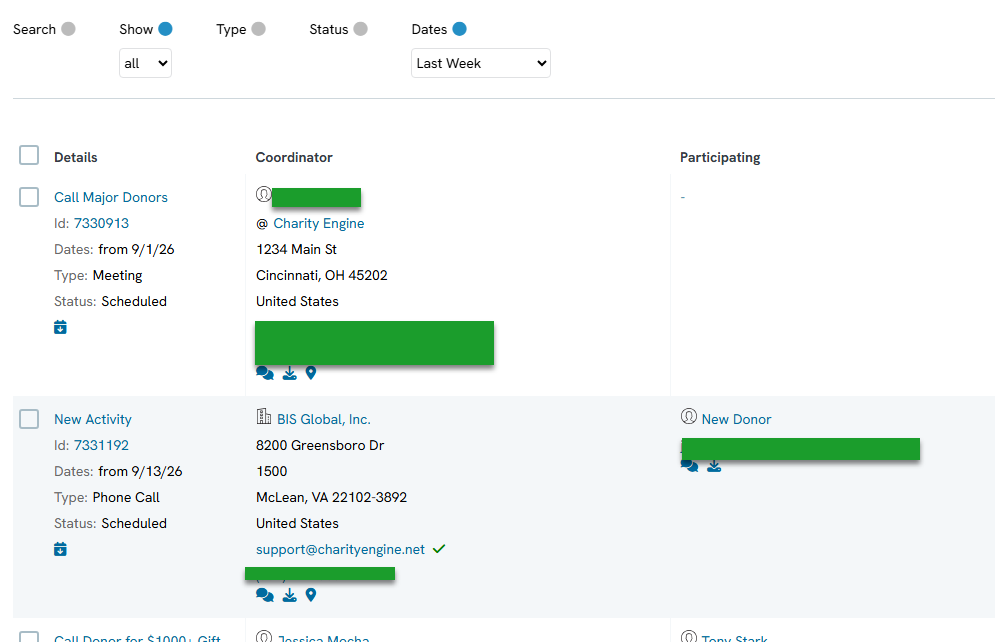
Step 4: To delete a single activity, click the ellipsis (three dots) menu on that activity and select Delete, then click Continue to confirm. The activity will no longer appear on screen.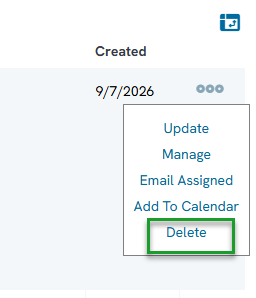
Step 5: To delete multiple activities at once, use the multi-select option to check the desired activities, then choose Delete. Confirm whether to delete all of the activities on screen or only the selected ones, then confirm the deletion.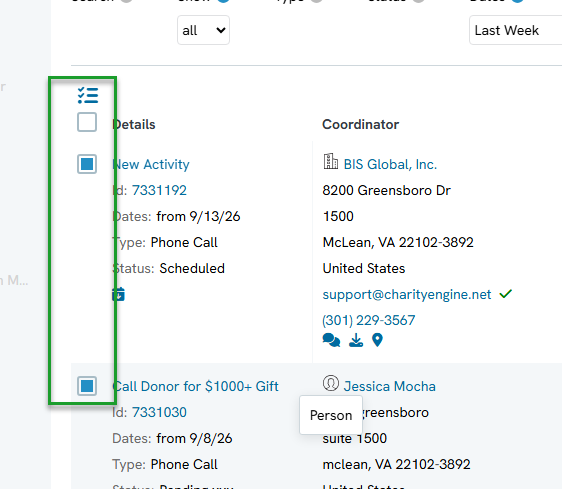
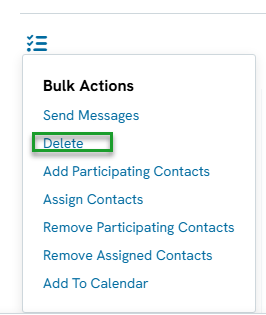
Note: Deleting an activity does not delete the notes attached to it. Notes are preserved on the contact record in case they're needed for historical research. To remove the associated notes as well, see the next section.
Instructions - Delete Notes
Step 1: Navigate to Contacts > Notes.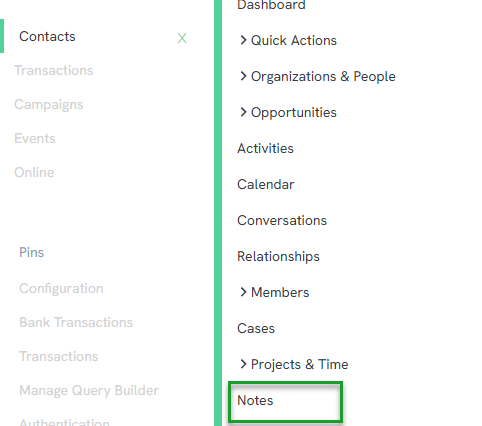
Step 2: Searching and deleting on this screen works the same way as the Activities screen. Use a combination of the quick filters and the Advanced Filter (funnel icon) to bring the desired notes up on screen.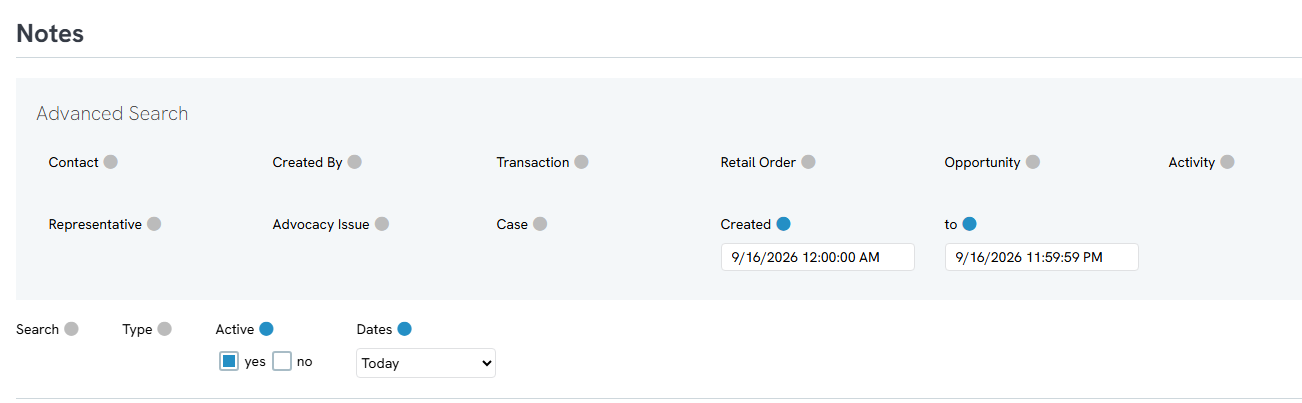
Step 3: To delete a single note, click the ellipsis (three dots) menu and select Delete.
Step 4: To delete multiple notes at once, use the multi-select option and choose to delete either selected notes or all notes on screen.
FAQs & Additional Reading
Q. If I delete an activity, does that also delete its notes?
A. No. Notes remain on the contact record even after the related activity is deleted, in case they're needed later for historical research. To remove notes as well, delete them separately from the Notes screen under Contacts.
Q. What's the difference between individual delete and multi-select delete?
A. Individual delete removes one activity or note at a time using its ellipsis menu. Multi-select delete lets you check off (or select all) multiple activities or notes on screen and delete them together in a single action.
